01
By muscle
Tap the 3D body where you want to work. Onira picks the exercises, sets and loads.
Tap the body, I'll pick the exercises.Build muscle, lose weight or simply get fit: set your iPhone down and Onira recognizes your exercise, counts your reps and plans what comes next. It looks after your plate and your nights too.
For every goal
A full gym, three dumbbells in the living room or nothing at all: Onira works with what you have, for the goal you choose.
Running, cycling, rowing, jump rope, shadow boxing, ski erg, elliptical… plus mobility stretches at the end of your workouts.
Every movement animated on a loop, with the muscles worked and the key points.
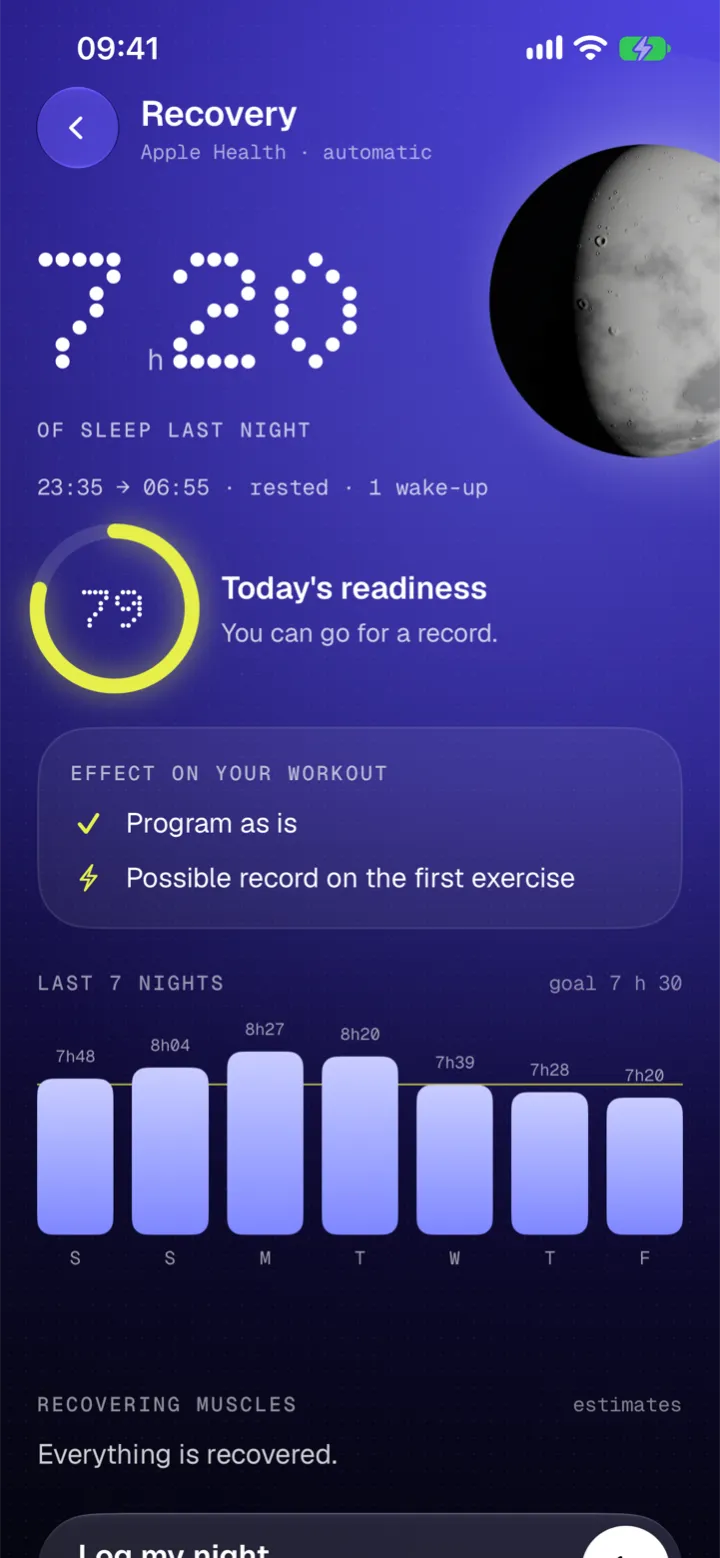
36 hours, plus 4 hours per set from your last workout. Your 3D body lights up accordingly.
Short night: lighter loads and 15 extra seconds of rest. Great night: a record is on.
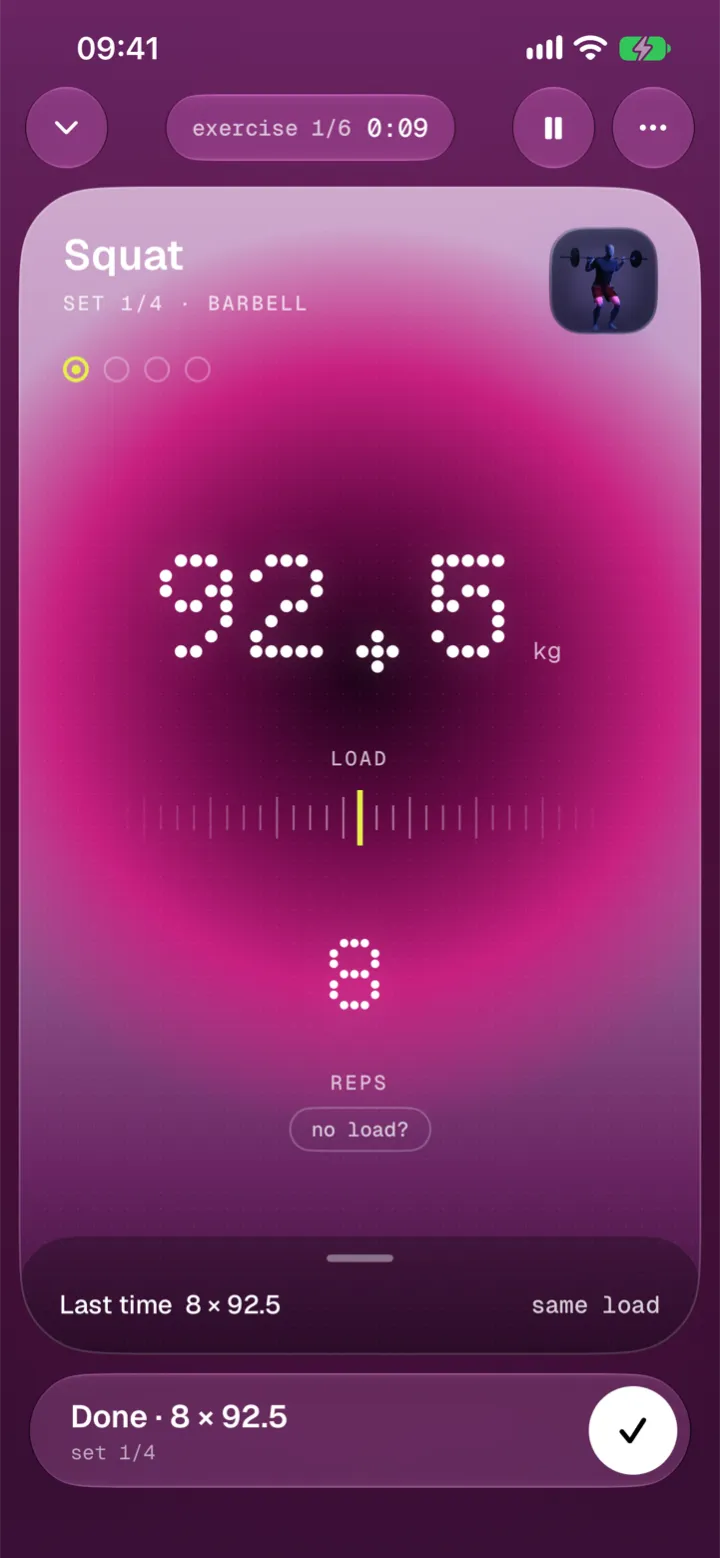
01 · In the workout
It recognizes the exercise, counts every rep, measures your speed and reads the load on the plate.
02 · Your body
The muscles you worked light up. Spin it, tap a muscle to see its exercises.
03 · Your night
Apple Health sends your night, or you slide the moon and the sun. Today's readiness follows.
04 · Workout done
A 3D replay, your volume put into perspective, and a story ready for Instagram.
The library
Each exercise shows the movement on a loop, in slow motion if you like, with the muscles worked and the key points. Love an exercise? Teddy suggests it more often. Done with one? It disappears from your workouts.
16 of the app's 175 animations. Missing one? Create your own exercise.
Your workouts
Tap the body, describe it in your own words, let Onira suggest one, redo an old one, build it exercise by exercise, or get a friend's.
Tap the 3D body where you want to work. Onira picks the exercises, sets and loads.
Tap the body, I'll pick the exercises.Onira looks at your week and builds the workout that's missing: rested muscles first, then the ones you've been skipping.
60 min · rested muscles firstWrite it the way you would tell a coach. Teddy builds it.
“30 min, back and biceps, no pull-ups”Pick up a workout you liked. Loads start from where you are now.
Resume an existing workout.You pick each exercise out of 247. Sets, reps and loads are suggested next.
You pick each exercise, your way.Their link or QR code, and their workout lands on your phone, adapted to your level.
Paste the link you were sent.Full gym or three dumbbells: only exercises you can do are suggested. A sensitive area? Movements that load it are left out.
All your reps done without hitting failure: the load goes up a notch next time.
A lagging muscle that has recovered? Two extra sets at the end of your workout.
Your week
Onira places your workouts on your training days, with your meals and your bedtime. Something came up? Drag a workout to another day. Try it.
One tap and your whole week is added to the iPhone calendar.
To get 7 h 30 with a 7 am wake-up, Onira suggests going to bed around 11:15 pm.
Place a meal in one tap. Teddy estimates its values if you don't know them.
Nutrition
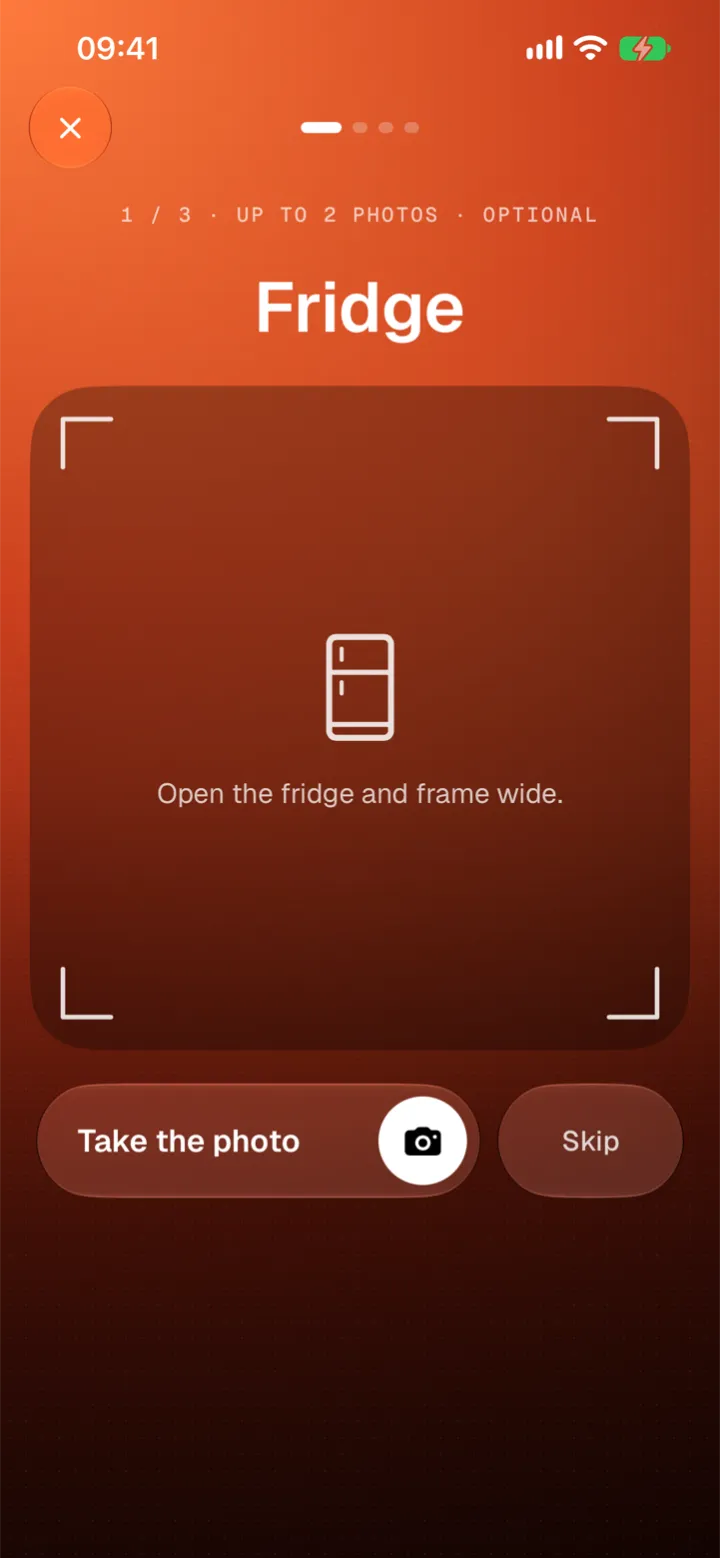
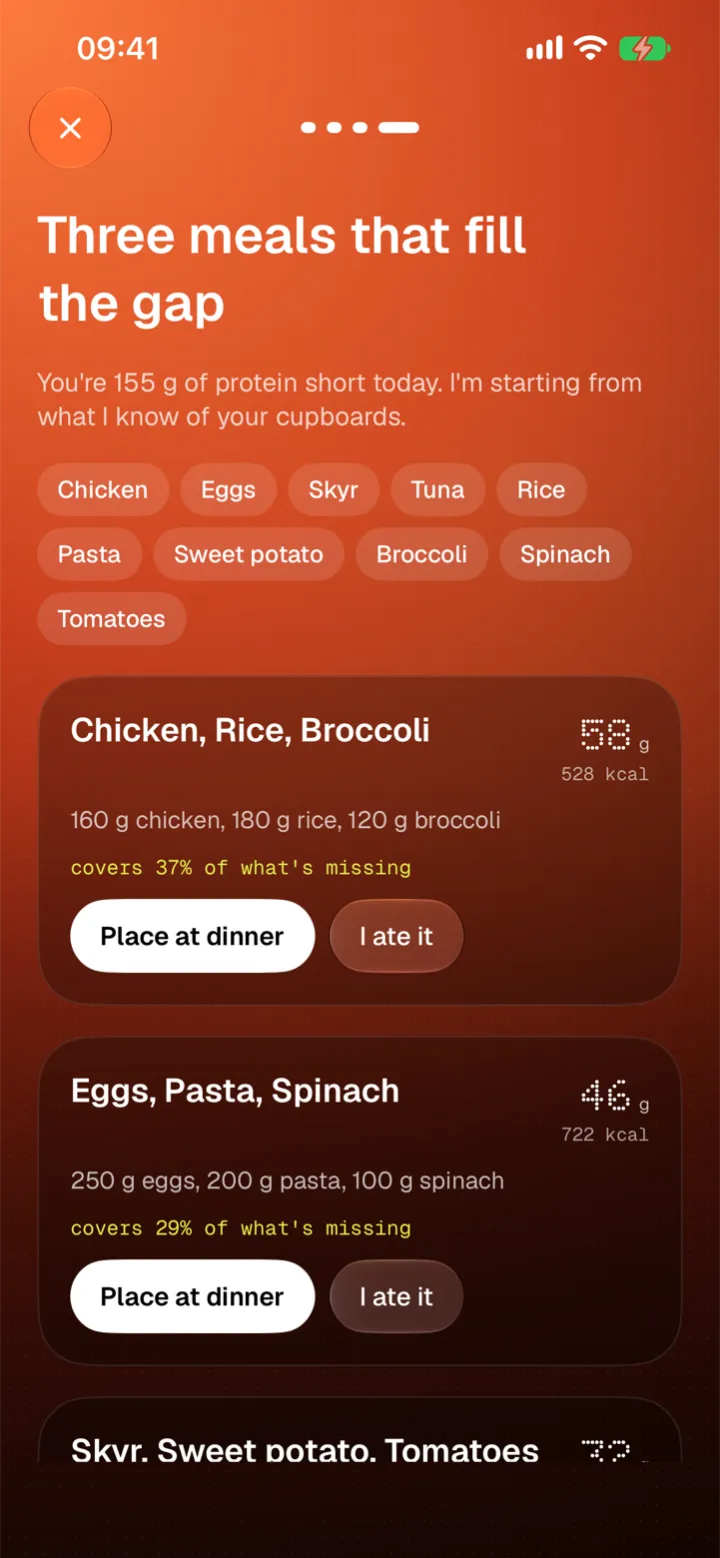
Snap your fridge, your cupboards and your freezer. Onira recognizes the food, remembers it, and suggests three meals that fill today's gap. Try it with what you have at home.
What's at home
The app's basic rule, without AI: a protein from your cupboards, a starch, a vegetable, and portions set to what's missing. With AI, Teddy turns them into real dishes.
Meal photo
Frame your plate. Onira recognizes each food, estimates the portion and works out protein, carbs, fat and calories. Adjust with a swipe if needed.
Recognizing… · Chicken, rice and avocado bowl
≈ 586 kcal. Example calculated with the app's food database.
Teddy
Teddy reads your night in the morning, reminds you about protein with what's in your cupboards, gives you a heads-up before your workout and tells you when to go to bed. You choose how present he is.
You still need 155 g of protein today. In your cupboards: eggs, skyr.
Reminders respect your quiet hours. Teddy only uses online AI with your consent.
With friends
At the gym, your buddy scans your QR code with their iPhone camera. Anywhere else, you send them the link. The workout arrives adapted to them.
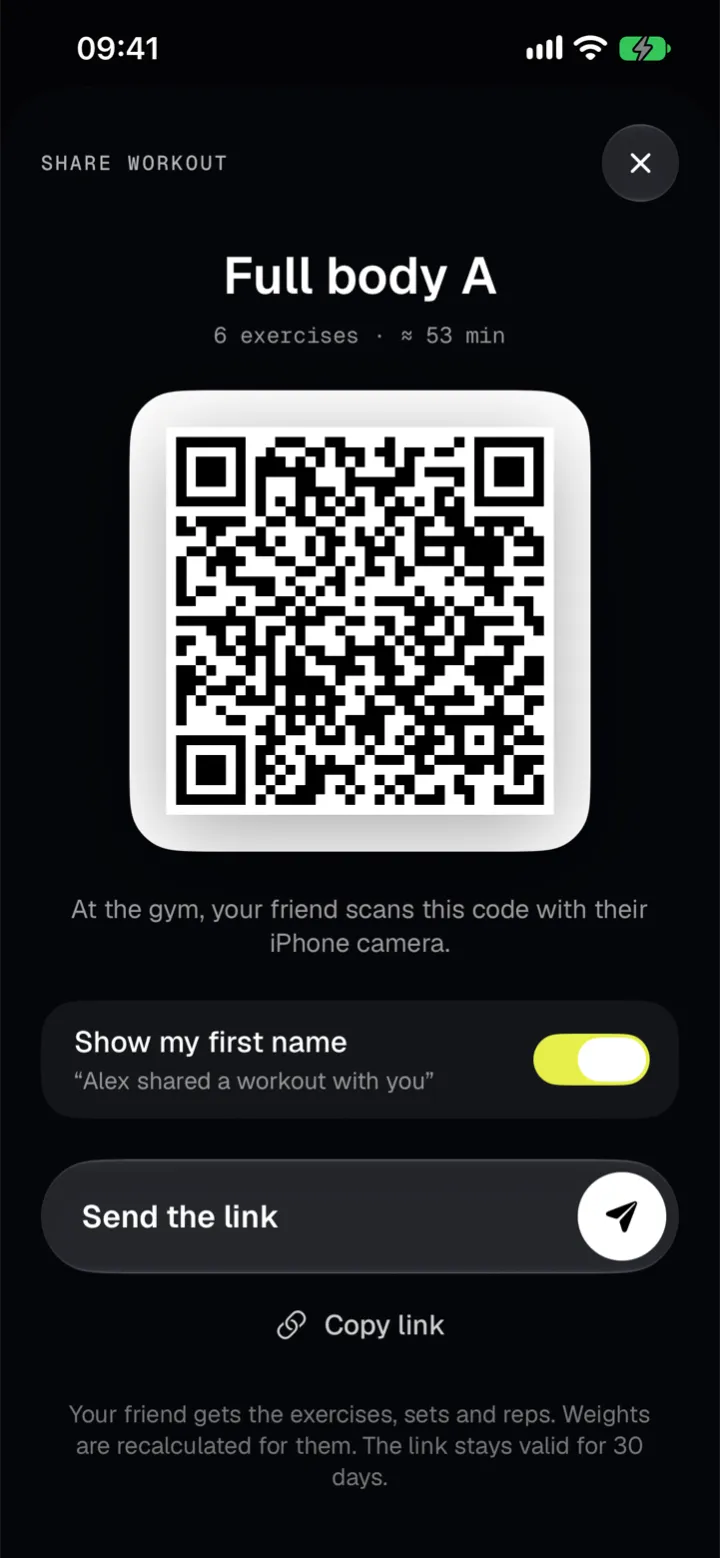
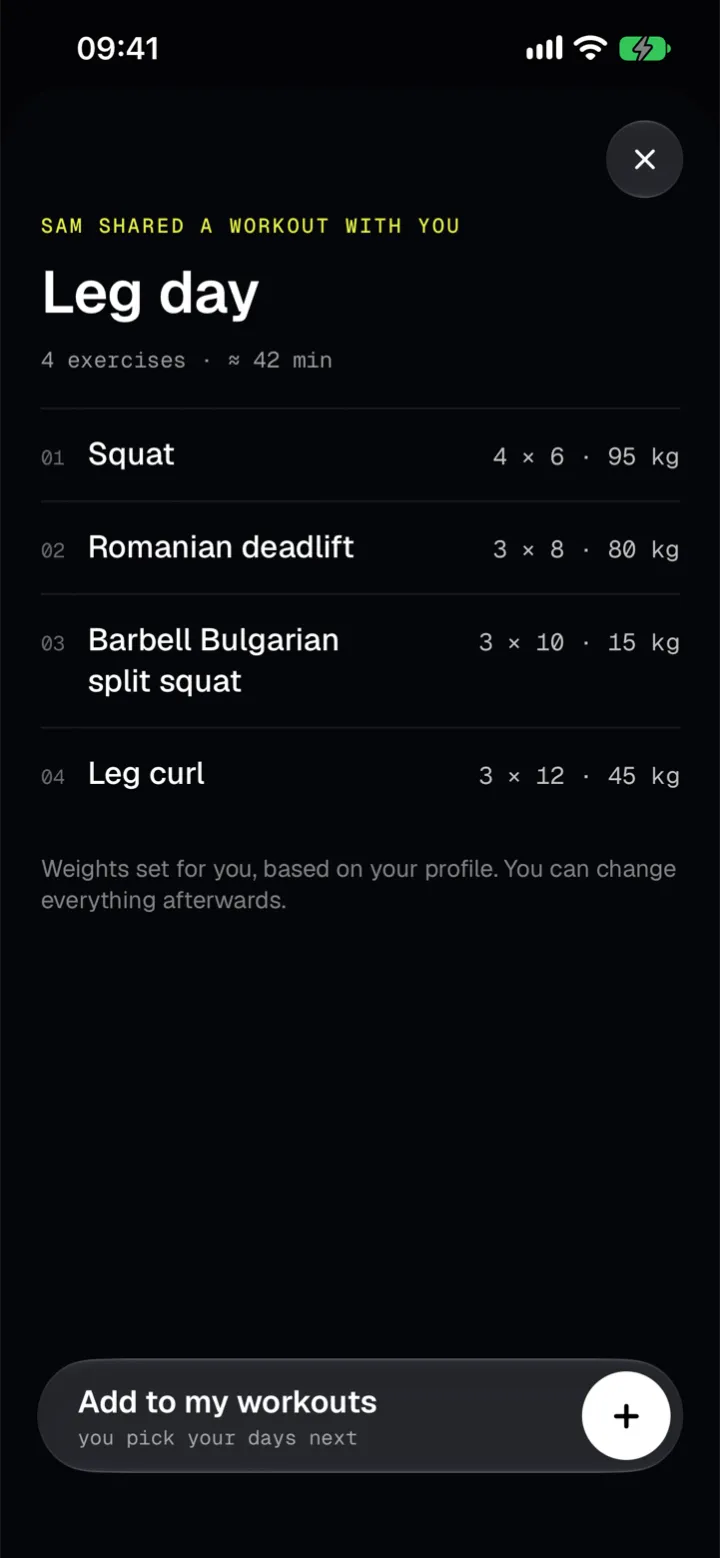
From a workout, the end of a replay or your calendar. With your first name, or without.
The QR code or link opens the app straight on your workout preview.
Their loads are calculated for them. Missing some equipment? A substitute is suggested.
Privacy
The camera analyzes your movement on the iPhone. No video is ever sent.
Without an account, everything stays on your phone. With Apple, Google or your email, your data is backed up for a new iPhone.
Teddy only uses online AI with your consent. Without it, he answers with his own rules.
No ads, no analytics, no data resale. This website doesn't track you either.
FAQ
No. The camera is there if you want Onira to count for you. Otherwise, you log each set with one tap and adjust the number with a swipe.
Nowhere. They are analyzed on your iPhone, frame by frame. Videos of your sets stay on your iPhone for seven days for the replay, then they are deleted.
Yes. You tell Onira what equipment you have and it only suggests what you can do: 84 exercises use just your bodyweight.
No. An account is optional. It backs up your data so you can get it back on a new iPhone, with Apple, Google or your email.
With your consent, Teddy uses online AI to answer you, recognize your meals and suggest dishes. Without consent, he answers with his own rules. You can change your mind anytime.
Yes, if you allow it. Onira reads your sleep, steps, weight and heart rate, and saves your workouts to Health.
Onira is a subscription, with 7 days free to try it. Prices will be shown on the App Store at launch.
Any iPhone running iOS 26 or later. The app is in English and French, in kilograms or pounds.